

Certificates your graduates post, and employers can check.
Laurel Posts issues completion certificates for schools and training programs. Graduates add them to LinkedIn in one click, anyone can confirm they're real, and every certificate points the way back to your program.
What your graduates post
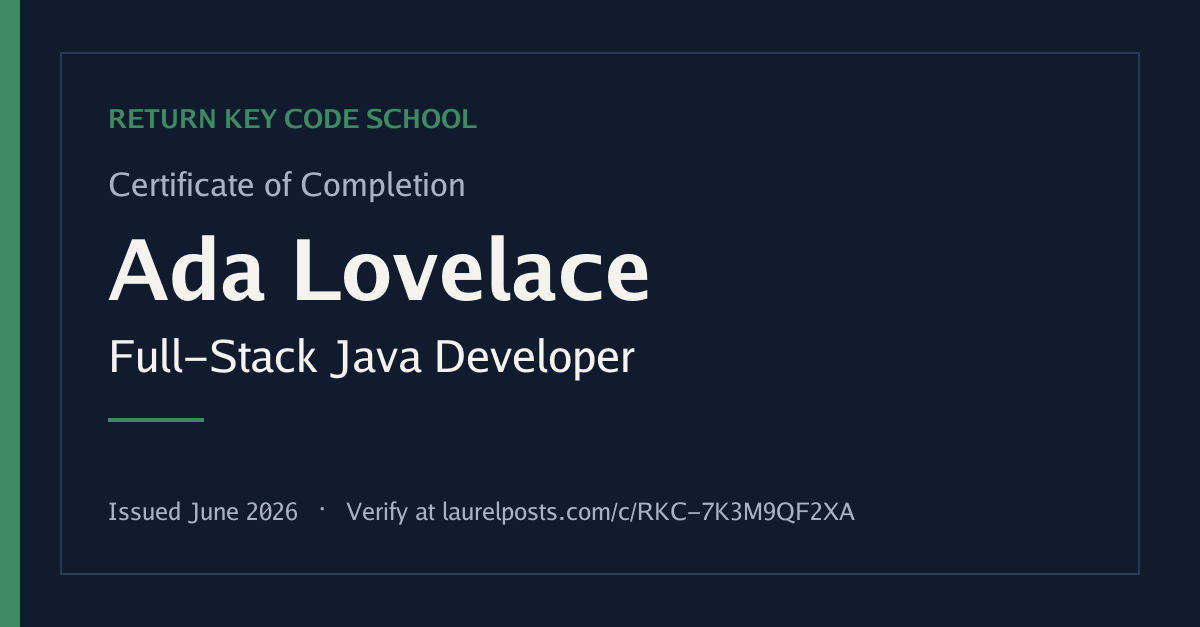
When a graduate shares their certificate, the post carries a full-size image made for it: their name, the course and your school, with a link anyone can check.
- The link opens the certificate's own page, with the credential ID and the date it was issued.
- "Add to profile" puts it under Licenses & Certifications on LinkedIn, filled in for them.
- Every page has a link to your program, so the people looking at your graduates can find you.
Twelve weeks, one capstone project and a lot of coffee. I've completed the Full-Stack Java program at Return Key Code School.
How it works
-
You upload who finished
A spreadsheet of names, emails and course. Every row is checked and shown to you before anything is issued, and uploading the same file twice is safe.
-
Each graduate gets a private link
By email, with one reminder if they haven't looked. A certificate stays private until its owner chooses to make it public.
-
They add it to LinkedIn
One click fills in Licenses & Certifications with the credential ID and link, or shares a post with the certificate as its preview.
-
Anyone can check it
Each certificate has a permanent page that says who earned what, and when. If you ever revoke one, its page says that too.
For your program
- Your look
- Your logo, colors, wording and up to two signatures. Certificates keep the design they were issued with, even if you change it later.
- Your domain, if you want it
- Certificates can live at an address like certs.yourschool.org. Links already shared keep working if you ever change it.
- Visitors for your program
- Every certificate page links to your site, tagged so the visits show up in your analytics. See views, LinkedIn additions and site visits for each course.
- Mistakes you can fix
- Correct a misspelled name without breaking the link on anyone's profile. Send a new link to someone who lost theirs.
- Your whole team, on the record
- Invite colleagues to help. Every change is written to a log you can read, so you always know who did what.
- Works with your systems
- Export every certificate as a spreadsheet, or let your learning platform issue certificates itself through a private access key.
Checking someone's certificate?
Enter the credential ID from the certificate or the LinkedIn entry.